
Credits lower what you pay Elyvent: fees and purchases. They belong to your company and are applied automatically. A plan is a variant of a subscription, for example the point of sale with or without included credits.
See your credits
Open your company on partner.elyvent.com and tap Payouts. The total of your credits is at the top right. Tapping it opens the list: first the credits of the whole company, then those of each restaurant. Each amount says what it covers. If it expires, the line below says when, for example expires in 25 days. Expired and used-up credits are not on the list.
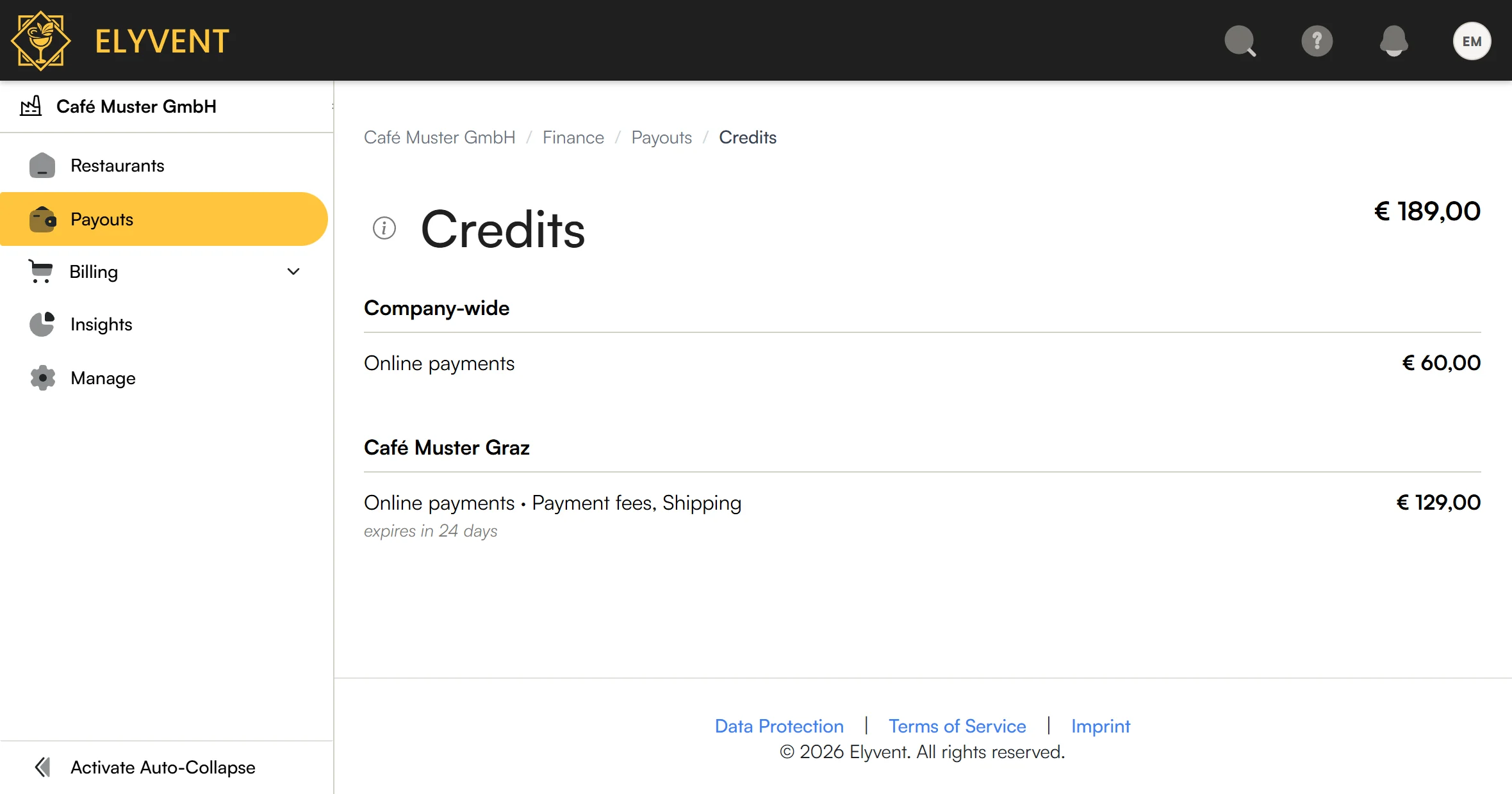
Without credits, the total does not appear.
Coverage
Each credit covers certain costs only:
| Covers | That is |
|---|---|
| Online payments | Platform and payment fees on online orders |
| Card terminals | Platform and payment fees on card payments at Elyvent terminals |
| Payouts | Fees on standard and instant payouts |
| Everything bought from Elyvent | Hardware, stickers, shipping, setup fees and subscriptions |
A credit can also cover only part of this, for example shipping or one product.
A credit that belongs to a restaurant covers that restaurant's costs only. So the credit of a point of sale covers only the restaurant of that point of sale.
What expires first is used first. A credit from a purchase covers only costs taxed at the same rate as that purchase. Credits are never paid out and never move to another company.
Sources
| Source | When it arrives | When it expires |
|---|---|---|
| Subscription | On the first day of each period | At the end of that period |
| Purchased product | After payment | Never |
| Elyvent | At once | As stated with the credit |
For a subscription, the day you pay makes no difference. If a period ends on 17 November, the new credit arrives on 18 November, even if you paid on 1 November.
A product or offer can state another expiry. The list then shows it.
Use
Fees on payments
On a payment, the fees are first taken as usual. A few seconds later they come back to your Elyvent account, and your credit goes down by the same amount. The order then shows under Payment: Fees of € 0.30 paid with credit.
The fee invoice lists the fees with the credit below them, for example € 44.49 in fees and -€ 44.49 credit. You receive it even when nothing is left to pay.
Fees on payouts
The fee simply comes out lower. If the payout fails, the credit goes back.
Purchases
The cart and the invoice show Credits applied. If credits cover everything, tap Pay with credits.
A product that itself includes credits cannot be paid with credits.
Choosing and changing a plan
When you change tills, unlock the Schankomat or change a signature certificate, you see every available plan. A plan that includes credits says so. Your plan marks the current one.
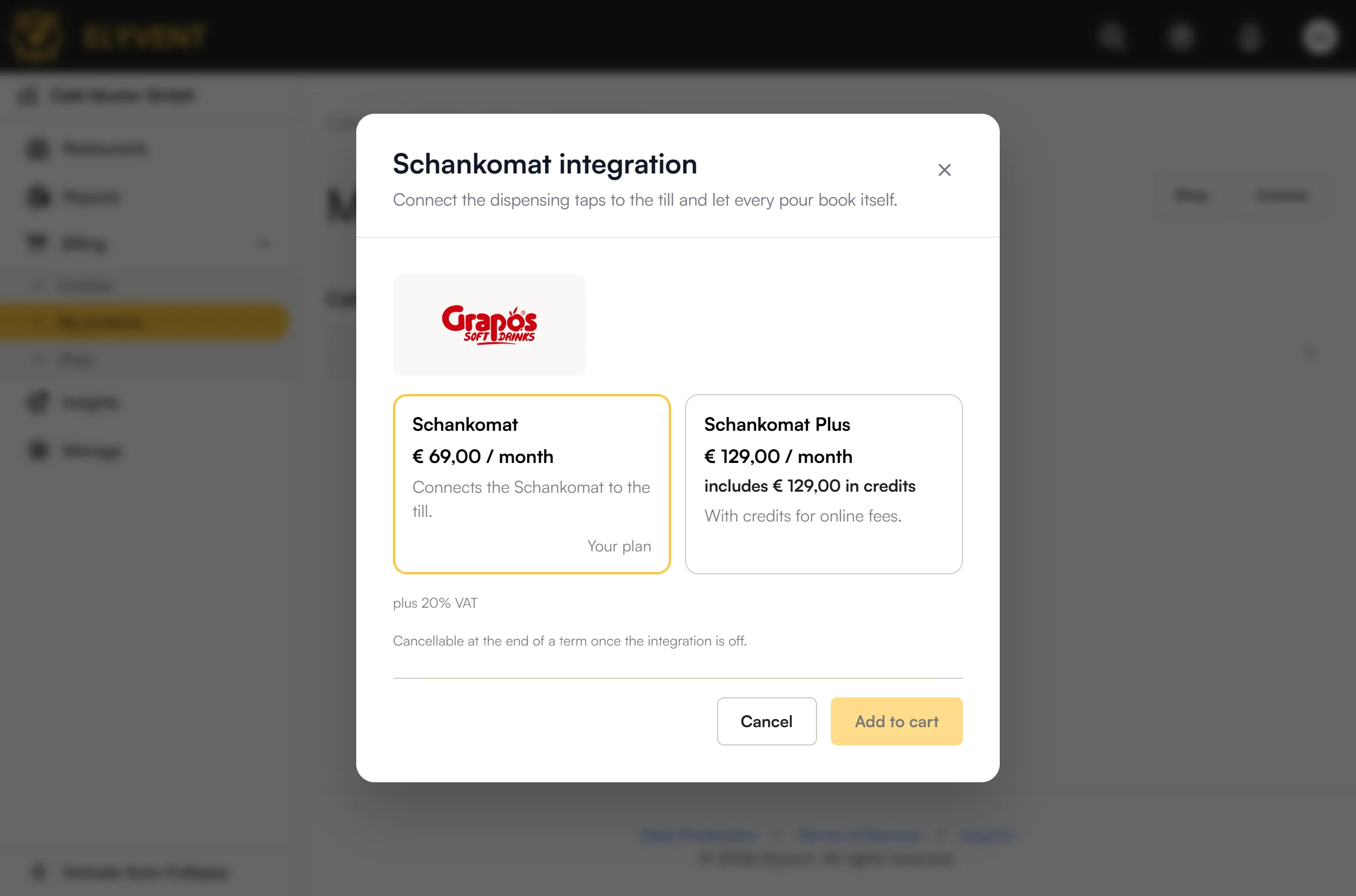
To change plan, tap Billing → My products and open the subscription's menu.
| Change | Takes effect | Cost |
|---|---|---|
| Dearer plan, more tills | At once | The price difference for the rest of the period |
| Cheaper plan, fewer tills | End of the period | None |
If more tills make a plan cheaper, it takes effect at once and costs € 0.00. Nothing already paid is refunded.
Moving to a plan with more credits brings the difference at once, in proportion to the rest of the period. Example: moving on 11 December from a plan without credits to one with € 129.00 leaves 21 of 31 days. You receive € 87.39, and € 129.00 from the next period on.
Monthly billing
Elyvent can bill your subscriptions together. All periods then end on the last day of a month, and you pay them in one debit instead of one by one.
- The first period ends on the last day of the month and costs its share.
- Each later period is debited on the 1st of the month.
- The debit is listed on the monthly invoice you receive on the 2nd.
Example: you buy a subscription on 15 November. You pay the rest of November at once. December is debited on 1 December and listed on the invoice of 2 December.
Running subscriptions move over at their next renewal. If the end of the month is too close, the renewal runs to the end of the next month, for example 1.2 months on a monthly subscription.
If a debit fails, Elyvent tries three more times. The subscription keeps running and the invoice stays open.